
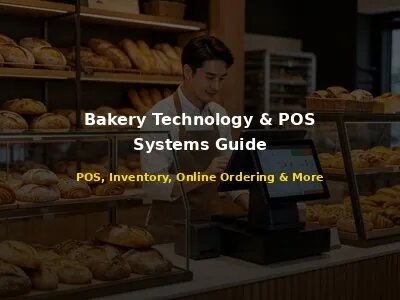
A story from our customer in Melbourne, Australia: "We opened our artisan bakery in 2019 with a basic cash register and a spreadsheet for inventory. For the first two years, we struggled with constant stockouts (we'd run out of croissants by 9 AM on Saturdays) and waste (we'd throw away $200 worth of day-old bread every Monday). We knew we needed a better system, but we were intimidated by POS systems - they seemed expensive and complicated. Finally, in 2021, we invested in a cloud-based POS with bakery-specific features: ingredient-level inventory tracking, recipe management, and production scheduling from historical sales data. The transformation was immediate. Our waste dropped by 60% (from $200/week to $80/week) because we could accurately predict how much to bake. Our stockouts dropped by 80% because the system told us exactly how many of each item to produce from last week's sales. We saved $600/month in reduced waste and stockouts - the $150/month POS system paid for itself in the first week. But the biggest surprise was the data visibility. For the first time, we could see exactly which products were profitable (our sourdough bread had a 72% profit margin) and which were losing money (our fancy cupcakes had only an 18% margin because of expensive decorations). We adjusted our menu to focus on high-margin items and increased our overall profit margin from 12% to 22% within 6 months. We also added online ordering through the POS, which now generates 25% of our revenue. The lesson we learned: technology isn't an expense - it's an investment. A good POS system doesn't just process payments; it gives you the data and tools to run a more profitable, efficient bakery. We wish we had invested in technology from day one instead of waiting two years."
Technology has transformed the bakery industry. What was once a craft-driven business managed with intuition, paper notebooks, and cash registers is now a data-driven operation powered by sophisticated POS systems, inventory management software, online ordering platforms, and analytics tools. Bakeries that embrace technology gain meaningful advantages: reduced waste, better inventory control, faster checkout, higher customer loyalty, improved profitability, and the ability to make data-informed decisions.
Yet many bakery owners are overwhelmed by technology. The market is flooded with POS systems, software tools, and hardware options, each promising to be the "best" solution. Choosing the wrong technology can be costly - not just in money, but in time, frustration, and lost opportunities.When we first started manufacturing bakery equipment, we thought the machine was everything. After 10 years and thousands of installations, we know it's quite about the right fit for your specific operation.
1. The Modern Bakery Technology Stack
A "technology stack" is the combination of software and hardware tools that power your bakery operations. A well-designed technology stack should work together smoothly, remove manual work, and give you real-time visibility into your business. Here are the core components of a modern bakery technology stack:
| Part | Function | necessary? | Monthly Cost Range |
|---|---|---|---|
| POS System | Processing payments, managing sales, inventory, customer data | Yes | $50-$400+/month |
| Inventory Management | Tracking ingredients, finished goods, waste, reordering | Yes (often included in POS) | Included or $30-$100/month |
| Online Ordering | Website ordering, pre-orders, pickup/delivery management | Highly recommended | $0-$200/month + commission |
| Accounting Software | Bookkeeping, financial reporting, tax preparation | Yes | $15-$60/month |
| Payroll Software | Employee pay, taxes, benefits, time tracking | Yes (if You've employees) | $30-$150/month |
| Employee Scheduling | Shift scheduling, time clock, labor cost tracking | Recommended | $0-$50/month |
| Email Marketing | Customer newsletters, promotions, loyalty campaigns | Recommended | $0-$50/month |
| Customer Loyalty | Points, rewards, pre-paid accounts, subscriptions | Recommended (often in POS) | Included or $20-$100/month |
| Kitchen Display System (KDS) | Digital order tickets for production team | Recommended for high volume | $20-$100/month |
| Security/Camera System | Surveillance, theft prevention, safety | Recommended | $20-$60/month |
| Website/E-commerce | Online presence, menu, ordering, brand | Yes | $0-$100/month |
The important principle in building your technology stack is: start with the POS as the foundation, then add tools that integrate with it. Your POS is the central nervous system of your bakery - it processes every sale, tracks every inventory item, and captures every customer interaction. Every other tool should connect to and feed off your POS data. Avoid disconnected tools that require manual data entry - they create errors, waste time, and give you an incomplete picture of your business.
2. Choosing the Right POS System
The POS (Point of Sale) system is the most worth noting technology investment for your bakery. It's not just a cash register - it's your sales system, inventory manager, customer database, reporting tool, and operations hub all in one. Choosing the right POS can save you thousands of dollars and hundreds of hours per year. Choosing the wrong one can lead to lost sales, inventory errors, and Many frustration.
2.1 necessary POS Features for Bakeries
Bakeries have unique needs that differ from restaurants, retail stores, and cafes. Here are the features that are core for a bakery POS:
- Ingredient-level inventory tracking: The #1 feature for bakeries. When you sell a loaf of bread, the system should automatically deduct the flour, water, yeast, and salt used to make it. This tells you exactly how much of each ingredient You've left and when to reorder. Without this, you're guessing at inventory levels and will experience constant stockouts and over-ordering.
- Recipe management and bill of materials (BOM): Store recipes with exact ingredient quantities and costs. This allows you to calculate the true cost of each product, maintain consistency across bakers, scale recipes up or down, and automatically update costs when ingredient prices change.
- Production scheduling and baking planning: Bakeries produce items in batches, often early in the morning. A bakery POS should help you plan production from historical sales data, current inventory levels, pre-orders, and expected demand. This reduces waste (overproduction) and stockouts (underproduction).
- Pre-order and custom order management: Bakeries receive many pre-orders (custom cakes, catering, holiday orders). The POS should accept pre-orders with future pickup dates, track deposit payments, send order reminders, generate production tickets, and prevent overbooking on busy days.
- Batch and lot tracking: For food safety and recall management, track which batch of ingredients was used in which products. If there's a recall on flour, You can quickly spot affected products.
- Expiration and shelf-life tracking: Bakery products have short shelf lives (1-3 days). The POS should track production dates, alert staff to items approaching expiration, support discounting of day-old items, and help plan production to minimize waste.
- Customer loyalty and pre-paid accounts: Many bakeries have daily regulars. The POS should support loyalty points, pre-paid accounts, subscription/recurring orders, and customer purchase history.
- Weight-based pricing: Some bakery items are sold by weight (bread, bulk pastries). The POS should integrate with digital scales and support weight-based pricing.
- Modifiers and customizations: Customers want customizations (extra frosting, no nuts, whole wheat). The POS should support modifiers and special instructions that print on production tickets.
2.2 Top POS Systems for Bakeries
| POS System | Best For | Monthly Cost | Bakery Strengths | Weaknesses |
|---|---|---|---|---|
| Toast | Growing bakeries, multi-location | $69-$165+/month | Great recipe management, production planning, bakery-specific features, strong online ordering | Requires Toast hardware, payment processing through Toast |
| Square for Restaurants | Small bakeries, startups | $0-$69/month | Simple, affordable, easy to use, good free tier, large app marketplace | Limited ingredient-level inventory, less bakery-specific features |
| Lightspeed Restaurant | Mid-size bakeries | $89-$239/month | Strong inventory and recipe management, multi-location, good reporting | Steeper learning curve, higher cost |
| Revel Systems | Enterprise, multi-location chains | $198+/month | Enterprise-level features, highly customizable, strong for chains | Expensive, complex setup, requires dedicated IT |
| Clover | Small bakeries, simple operations | $14-$94/month | Easy to use, good hardware, app marketplace | Limited bakery-specific features, inventory is basic |
| Loyverse | Tiny bakeries, budget | $0 (free tier) | Free forever for basic features, simple, good for 1-2 registers | Quite limited features, no recipe management, weak support |
2.3 How to judge and Choose a POS
- spot your must-have features: Make a list of non-negotiable features (e.g., ingredient-level inventory, pre-order management, online ordering). Any POS that doesn't have these is removed.
- Set a budget: figure out your monthly budget for POS software + hardware + payment processing. Remember to calculate total cost of ownership over 3-5 years, not just first-year cost.
- Get demos: Schedule demos with 3-5 POS providers. Bring your most complex scenarios (custom cake order with deposit, catering order for 100, ingredient-level inventory for a 15-ingredient recipe) and see how each POS handles them.
- Talk to other bakery owners: Ask bakery owners in your network (or online forums) what POS they use and what they like/dislike. Real-world experience is more valuable than sales pitches.
- Check integration support: Ensure the POS integrates with your accounting software (QuickBooks/Xero), payroll provider, email marketing tool, and any other software you use.
- judge customer support: Call or email the support team before buying. How fast do they respond? Are they knowledgeable? Good support is important when your POS goes down during peak hours.
- Read the contract carefully: Watch for long-term contracts (3+ years), early termination fees, mandatory hardware purchases, and payment processing lock-in. Prefer month-to-month or annual contracts with no early termination fee.
- Do a trial: If possible, do a 14-30 day free trial. Set up your menu, recipes, and inventory, and process some test transactions. This is the best way to know if a POS is right for you.
3. Inventory Management Technology
Inventory management is one of the biggest challenges for bakeries. Unlike retail stores that sell finished goods purchased from suppliers, bakeries produce their products from raw ingredients. This means You should track both raw ingredients (flour, sugar, butter) and finished goods (bread, pastries, cakes), and understand the relationship between them (how much flour goes into each loaf of bread).
3.1 The Bakery Inventory Challenge
- Perishable ingredients: Many bakery ingredients (butter, eggs, milk, yeast) are perishable and have short shelf lives. Over-ordering causes waste; under-ordering causes stockouts.
- Batch production: Bakeries produce items in batches. A batch of dough might make 20 loaves of bread. You should track batches, yield (how many units you actually got vs. expected), and waste (dough scraps, burnt items, unsold items).
- Variable yield: Baking is not an exact science. A recipe that says "makes 20 croissants" might yield 18 or 22 depending on the baker, weather, and ingredient quality. Your inventory system must account for actual yield vs. theoretical yield.
- Short shelf life of finished goods: Most bakery products are best within 1-3 days. Unsold items must be discounted, donated, or discarded. Your system should help you minimize overproduction and track waste.
- Multiple units of measure: You buy flour by the 50-pound bag, use it by the cup or gram in recipes, and sell bread by the loaf. Your inventory system must handle multiple units of measure and conversions.
3.2 Inventory Management Features to Look For
- Ingredient-level tracking: Track every ingredient from purchase to use. When you sell a product, automatically deduct the ingredients used from the recipe.
- Recipe/BOM management: Store recipes with exact quantities, costs, and instructions. Link recipes to products so that selling a product automatically updates ingredient inventory.
- Batch tracking: Track production batches with batch numbers, production dates, expiration dates, yield, and waste. This is fundamental for food safety and recall management.
- Automatic reorder points: Set minimum stock levels for each ingredient. When inventory drops below the reorder point, the system automatically generates a purchase order or alerts you to order.
- Supplier management: Track supplier information, pricing, lead times, and order history. Compare prices across suppliers to ensure you're getting the best deal.
- Waste tracking: Record waste (discarded ingredients, burnt products, unsold items) by category and reason. look at waste data to spot patterns and reduce waste over time.
- Physical inventory counts: Support regular physical inventory counts (daily for high-value items, weekly for medium, monthly for low-value) with variance reporting (differences between system count and actual count).
- Inventory valuation: Calculate the value of your inventory using FIFO (First In, First Out), LIFO, or weighted average methods. This is needed for accounting and tax purposes.
3.3 Inventory Management Best Practices
- put in place FIFO (First In, First Out): Use older ingredients first to minimize spoilage. Label all ingredients with receipt dates and organize storage so oldest items are in front.
- Conduct regular inventory counts: Don't rely solely on system counts. Conduct physical counts regularly: daily for high-value/short-shelf-life items (butter, eggs), weekly for medium-value (flour, sugar), monthly for everything else. look into and correct variances.
- Set par levels and reorder points: For each ingredient, figure out the minimum quantity you need on hand (par level) and the point at which You should reorder (reorder point = daily usage x lead time + safety stock). This prevents stockouts and over-ordering.
- Track waste daily: Have staff record all waste (what was wasted, how much, why) in a log or POS system. look over waste data weekly to spot patterns (e.g., "we waste 20 croissants every Sunday" → reduce Sunday production by 20).
- Use production planning from data: Use historical sales data to plan production. If you sold an average of 45 loaves of sourdough every Saturday for the past 8 weeks, bake 45-50 loaves next Saturday (not 80 because "it might be busy"). Adjust for weather, holidays, and events.
- Standardize recipes and portions: Every baker should follow the same recipe with the same measurements. Use digital scales (not cups) for accuracy. Standardization ensures consistent product quality and accurate inventory tracking.
- improve your menu for inventory efficiency: Reduce the number of unique ingredients by designing a menu that uses shared ingredients. If 10 products all use the same dough base, you only need to manage one dough recipe instead of 10. This simplifies inventory and reduces waste.
4. Online Ordering and E-Commerce
Online ordering has become necessary for bakeries. Customers increasingly want to order ahead for pickup, schedule regular deliveries, and browse your menu from their phones. A well-put in placeed online ordering system can increase revenue by 20-40%, improve customer loyalty, and reduce phone order errors.
4.1 Online Ordering Options for Bakeries
| Option | How It Works | Cost | Best For |
|---|---|---|---|
| POS-integrated online ordering | Your POS provider offers an online ordering widget that integrates with your POS. Orders go directly to your POS and kitchen. | $0-$100/month + 2-3% transaction fee | Most bakeries - smooth integration, lowest effort |
| Website plugin (e.g., WooCommerce, Shopify) | Add an e-commerce plugin to your existing website. Manage products, orders, and payments through the plugin. | $0-$50/month + payment processing fees | Bakeries with existing websites and technical comfort |
| Third-party ordering platforms (e.g., ChowNow, OrderUp) | Use a dedicated online ordering platform that creates a branded ordering page/app for your bakery. | $100-$200/month + transaction fees | Bakeries wanting a branded app and advanced features |
| Social media ordering (Instagram, Facebook) | Enable ordering directly through social media platforms. Customers browse and order without leaving the app. | Payment processing fees only | Bakeries with strong social media following |
| Phone/email ordering (manual) | Customers call or email to place orders. You manually enter them into your POS. | $0 (but labor cost) | Tiny bakeries, custom/special orders only |
4.2 Online Ordering Best Practices for Bakeries
- Make it mobile-friendly: 70%+ of online orders are placed on mobile phones. Your online ordering page must be improved for mobile: large buttons, easy understanding, fast loading, simple checkout.
- Offer pre-ordering with future dates: Bakeries thrive on pre-orders (custom cakes, holiday orders, catering). Your online ordering system must allow customers to select a future pickup/delivery date and time.
- Require deposits for custom/large orders: For custom cakes and catering orders, require a 25-50% deposit at the time of ordering. This reduces no-shows and covers initial ingredient costs.
- Set order cutoff times: Clearly state cutoff times for next-day pickup (e.g., "Order by 2 PM for next-day pickup"). This gives you enough time to produce orders without rushing.
- Limit daily order capacity: Don't accept more orders than You can produce. Set daily limits by product category (e.g., "only 10 custom cakes per day"). This prevents over-promising and under-delivering.
- Show high-quality photos: Include appetizing photos of every product. Photos increase order value and reduce returns/complaints (customers know exactly what they're getting).
- Offer subscription/recurring orders: Many customers want weekly bread delivery or monthly pastry subscriptions. Offer recurring order options with discounts (e.g., "10% off weekly subscription"). This creates predictable recurring revenue.
- Send order confirmations and reminders: Automatically send email/SMS confirmations when orders are placed, and reminders 24 hours before pickup. This reduces no-shows and customer confusion.
- Integrate with your POS: Online orders should automatically flow into your POS and kitchen display system. Manual entry of online orders is error-prone and time-consuming.
- Promote online ordering everywhere: Add "Order Online" buttons to your website, social media profiles, Google Business Profile, email signature, and in-store signage. Offer a first-time online order discount (10% off) to encourage adoption.
5. Accounting and Financial Technology
Good accounting is the foundation of a profitable bakery. Yet many bakery owners dread bookkeeping and put it off until tax season. Modern accounting technology makes bookkeeping faster, easier, and more accurate - if you set it up correctly and integrate it with your POS.
5.1 Accounting Software for Bakeries
| Software | Best For | Monthly Cost | Important Features |
|---|---|---|---|
| QuickBooks Online | Most bakeries (industry standard) | $30-$200/month | Easy to use, large ecosystem, good POS integration, strong reporting |
| Xero | Tech-savvy bakeries, international | $13-$70/month | Beautiful UI, Great integrations, Many users, strong inventory |
| Wave | Tiny bakeries, budget | Free (payments + payroll extra) | Free accounting, invoicing, receipt scanning; limited features |
| FreshBooks | Service-focused, simple needs | $17-$55/month | Great invoicing, time tracking, simple interface; less solid for inventory |
| Sage | Established bakeries, complex needs | $10-$85/month | Strong for manufacturing/inventory, industry-specific; steeper learning curve |
5.2 POS-to-Accounting Integration
Integrating your POS with your accounting software is one of the highest-ROI technology decisions You can make. It removes manual data entry (the #1 source of accounting errors), saves hours per week, and gives you real-time financial visibility. Here's how to set it up:
- Choose an accounting software that integrates with your POS: Most major POS systems (Toast, Square, Lightspeed) have pre-built integrations with QuickBooks Online and Xero. Check your POS's app marketplace before choosing accounting software.
- Decide on sync method: daily summary vs. individual transactions: Daily summary sync (recommended for most bakeries): Posts one journal entry per day with total sales, tax, tips, and payment processing fees. This keeps your accounting clean and simple. Individual transaction sync: Posts every single transaction as a separate invoice/sales receipt. This provides more detail but clutters your accounting and is rarely necessary for bakeries.
- Map your accounts correctly: Map POS data to the correct accounting accounts: Gross sales → Income account, Sales tax → Sales Tax Payable, Tips → Tips Payable (if you distribute tips), Payment processing fees → Bank Fees/Expense, Deposits → Bank account. Incorrect account mapping causes messy financial statements.
- Reconcile regularly: Even with automatic sync, reconcile your bank and credit card accounts monthly. This catches errors, duplicates, and missing transactions.
- look over financial reports weekly: With integrated accounting, You can run a Profit & Loss report in 30 seconds. look over it weekly to track revenue, cost of goods sold, labor costs, and net profit. Don't wait until tax season to look at your finances.
5.3 Financial Reports Every Bakery Owner Should look over
- Profit & Loss (Income Statement): Monthly. Shows revenue, cost of goods sold (COGS), gross profit, operating expenses, and net profit. The most important report for understanding profitability.
- Balance Sheet: Monthly. Shows assets (cash, inventory, equipment), liabilities (loans, payables), and equity. Tells you the financial health of your business.
- Cash Flow Statement: Weekly. Shows cash coming in and going out. Important for bakeries, which often have tight cash flow Because of ingredient purchases and payroll cycles.
- COGS Breakdown: Weekly. Shows cost of ingredients by category (flour, sugar, butter, etc.). Helps spot cost increases and waste issues.
- Labor Cost Report: Weekly. Shows labor cost as a percentage of sales. Target: 25-35% of sales for a bakery. If labor is>35%, you're overstaffed or underperforming in sales.
- Product Profitability Report: Monthly. Shows revenue, COGS, and gross profit by product. Identifies your most and least profitable items. Use this to improve your menu.
- Inventory Valuation: Monthly. Shows the value of your raw ingredients and finished goods inventory. important for balance sheet accuracy and tax purposes.
6. Hardware and Infrastructure
Software is only half the technology equation. You also need the right hardware to run your software reliably and efficiently. Here's a guide to bakery technology hardware:
6.1 core POS Hardware
| Hardware | Function | Cost Range | Recommendations |
|---|---|---|---|
| Touchscreen terminal/tablet | Main POS interface for ringing up sales | $300-$2,000 | 10-15 inch touchscreen (Toast Flex, Square Register, iPad with stand). Durable, easy to clean. |
| Cash drawer | Store cash, coins, receipts | $80-$200 | Heavy-duty steel, 5 bill/5 coin compartments, RJ12 connection to receipt printer. |
| Receipt printer | Print customer receipts | $150-$400 | Thermal printer (fast, quiet, no ink). 80mm width. Ethernet or USB connection. Star or Epson brand. |
| Kitchen printer (optional) | Print production tickets for bakery team | $150-$400 | Impact printer (can handle heat/steam in kitchen) or thermal. Place in production area. |
| Card reader/payment terminal | Process credit/debit cards, contactless payments | $0-$300 (often included with POS) | EMV chip reader + NFC contactless (Apple Pay, Google Pay). Integrated with POS for smooth checkout. |
| Barcode scanner (optional) | Scan product barcodes for fast checkout | $50-$200 | 1D/2D barcode scanner. Useful if you sell packaged goods with barcodes. |
| Digital scale (optional) | Weigh items sold by weight | $100-$500 | POS-integrated digital scale. necessary if you sell bread/pastries by weight. 30 lb capacity, 0.01 lb accuracy. |
| Customer-facing display (optional) | Show order total to customers | $100-$500 | Second small screen facing customer. Shows itemized order and total. Improves transparency. |
| Kitchen Display System (KDS) (optional) | Digital order tickets for production team | $200-$1,000 | Tablet or touchscreen in production area. Shows incoming orders with details. Replaces paper tickets. |
6.2 Network and Infrastructure
- Reliable internet: Cloud-based POS requires reliable internet. Get business-grade broadband (50+ Mbps download, 10+ Mbps upload). Cost: $50-$150/month. Avoid residential internet - it has lower reliability and no service level agreement.
- Backup internet: Internet outages cost sales. Invest in a 4G/5G backup hotspot ($30-$50/month) that automatically kicks in if your primary internet goes down. Combined with your POS's offline mode, this ensures 99.9% uptime.
- Wi-Fi network: Set up a dedicated Wi-Fi network for your POS hardware (separate from customer Wi-Fi). Use a business-grade router ($100-$300) with WPA3 encryption. Place the router centrally for good coverage.
- Network switch: If You've multiple wired devices (POS terminal, printer, KDS), use a network switch ($30-$100) to connect them. This is more reliable than Wi-Fi for stationary devices.
- Uninterruptible Power Supply (UPS): A UPS ($100-$300) provides battery backup during power outages. It gives you 15-30 minutes to finish transactions and safely shut down your POS. necessary for areas with unreliable power.
- Cable management: Use cable trays, zip ties, and labels to organize cables. This prevents accidental disconnections, makes troubleshooting easier, and creates a cleaner appearance.
6.3 Hardware Maintenance and Replacement
- Clean regularly: Touchscreens, keyboards, and card readers get dirty with daily use. Clean with electronics-safe wipes weekly. This extends hardware life and improves hygiene.
- Protect from heat/moisture: Bakery environments can be hot and humid (especially near ovens and proofers). Keep POS hardware away from direct heat sources and moisture. Use fans or AC in the POS area if needed.
- Update firmware: POS hardware manufacturers release firmware updates for bug fixes and security patches. Install updates regularly (usually through the POS software dashboard).
- Replace every 3-5 years: POS hardware has a lifespan of 3-5 years. Touchscreens wear out, printers fail, and processors become slow. Budget for hardware replacement every 3-5 years. Don't wait for hardware to fail during peak hours - replace proactively.
- Keep spare parts: Keep spare receipt printer paper, cash drawer keys, and a backup card reader on hand. These are common failure points and having spares prevents downtime.
7. Data Security and Privacy
Bakeries handle sensitive data every day: customer credit card information, personal data (names, emails, phone numbers), employee data (SSNs, bank accounts), and financial data. A data breach can be catastrophic - causing financial loss, legal liability, reputational damage, and loss of customer trust. Here's how to protect your bakery's data:
7.1 PCI DSS Compliance
If you accept credit cards, You've to comply with PCI DSS (Payment Card Industry Data Security Standard). This is a set of security standards designed to protect cardholder data. Non-compliance can result in fines ($5,000-$100,000 per month), loss of card processing privileges, and liability for fraud.
- Use a PCI-compliant POS: Most modern cloud POS systems are PCI-compliant and handle card data securely (card data is encrypted and tokenized, never stored on your local system). check your POS provider's PCI compliance status.
- Don't store card data: Never write down credit card numbers, store them in spreadsheets, or keep them in any form other than your POS's secure tokenized system. If a customer wants to keep a card on file for recurring orders, use your POS's secure card-on-file feature (not a written note).
- Use EMV chip readers: EMV chip cards are more secure than magnetic stripe cards. Using an EMV reader shifts fraud liability from you to the card issuer. If you don't use EMV and a fraudulent card is used, You can be liable for the charge.
- Complete annual PCI Self-judgement Questionnaire (SAQ): Most small businesses using a compliant POS provider need to complete SAQ A (the simplest form) annually. This is a self-judgement that confirms you're following security best practices. Your payment processor may require this.
- Train staff on card security: Train all staff on basic card security: don't write down card numbers, don't leave receipts with full card numbers visible, check ID for large purchases, report suspicious activity immediately.
7.2 General Data Security Best Practices
- Use strong, unique passwords: Every employee should have a unique POS login with a strong password (8+ characters, mix of letters/numbers/symbols). Don't share logins - this prevents accountability and makes it harder to track who did what.
- Enable two-reason authentication (2FA): Enable 2FA on all important accounts: POS dashboard, accounting software, email, bank accounts, cloud storage. 2FA prevents unauthorized access even if passwords are compromised.
- Restrict access from role: Use role-based access control in your POS: cashiers can only ring up sales, managers can void/refund, owners can view reports and change settings. This limits the damage any single account can cause if compromised.
- Keep software updated: Install security updates for your POS software, operating system, and apps promptly. Outdated software is the #1 target for hackers.
- Secure your Wi-Fi: Use WPA3 encryption (or WPA2 if WPA3 not available) with a strong password. Separate your POS network from your customer Wi-Fi network. Don't give out your POS Wi-Fi password to customers.
- Use a firewall: Most business-grade routers include a firewall. Ensure it's enabled. A firewall blocks unauthorized incoming connections to your network.
- Encrypt sensitive data: Your POS should encrypt customer data at rest and in transit. If you store sensitive data (employee records, customer lists) in spreadsheets or documents, use encrypted storage (e.g., password-protected Excel files, encrypted cloud storage).
- Backup data regularly: Cloud POS systems automatically back up data. But if You've local data (recipes, employee records, custom reports), back it up regularly to an encrypted cloud service (Google Drive, Dropbox Business, Backblaze). Test restores periodically to ensure backups are working.
- Have an incident response plan: Prepare for a data breach before it happens. Your plan should include: who to contact (IT support, payment processor, lawyer, insurance), how to contain the breach, how to notify affected customers, and how to document everything. look over and update the plan annually.
7.3 Employee Data Privacy
- Store employee records securely: Employee records (I-9s, W-4s, SSNs, bank account info) should be stored in locked cabinets or encrypted digital storage. Only authorized personnel (owner, HR manager) should have access.
- Limit access to payroll data: Payroll software should have strict access controls. Only the owner and payroll administrator should be able to view and edit payroll data.
- Comply with labor laws: Ensure your time tracking and scheduling practices comply with federal, state, and local labor laws (FLSA, state overtime laws, predictive scheduling laws where applicable). Your POS/scheduling software should help with this.
- Train staff on data privacy: All employees should understand the importance of data privacy and their role in protecting customer and company data. Include data privacy in your employee handbook and new hire training.
8. Technology put in placeation and Training
put in placeing new technology is not just about buying software and hardware - it's about changing how your team works. Even the best technology will fail if your team doesn't know how to use it or resists the change. Here's how to put in place technology successfully:
8.1 put in placeation Plan
- Phase 1: Planning (Weeks 1-2): Define goals (what do you want the technology to achieve? Reduce waste by X%? Increase online orders by Y%?). Set a budget. Select your POS and software. Assign a project lead (could be you or a manager). Create an put in placeation timeline with milestones.
- Phase 2: Setup (Weeks 3-4): Set up your POS: enter all products with prices, create recipes with ingredient quantities and costs, set up inventory with current stock levels, configure tax rates, set up payment processing, create employee logins with role-based access. Set up integrations (accounting, online ordering, email marketing). Customize receipts, menus, and reports.
- Phase 3: Testing (Week 5): Test everything before going live. Process test transactions (cash, card, refund, void). Test inventory deduction (sell a product, check ingredients are deducted). Test online ordering (place a test order, check it appears in POS). Test reporting (run a sales report, check numbers match). Test integrations (process a sale, check it syncs to accounting). Fix any issues found.
- Phase 4: Training (Week 6): Train all staff on the new system. Provide hands-on training (not just videos). Create quick-reference guides for common tasks (ringing up a sale, processing a refund, checking inventory). Have staff practice with test transactions. Assign "super users" (staff who learn quickly) to help others.
- Phase 5: Go-live (Week 7): Choose a slow day (Monday or Tuesday) for go-live. Have extra support available (you or the project lead on-site all day). Keep the old system as backup for the first week. Monitor closely for issues. Celebrate the transition with the team.
- Phase 6: Optimization (Weeks 8-12): After go-live, continuously improve. look over reports weekly to spot issues. Gather feedback from staff (what's working, what's not). Adjust settings, workflows, and training as needed. Measure progress against your initial goals. Celebrate wins (e.g., "We reduced waste by 30% this month!").
8.2 Staff Training Best Practices
- Tailor training to role: Cashiers need to know how to ring up sales, process refunds, and handle common customer requests. Bakers need to know how to view production tickets, record waste, and check inventory. Managers need to know reporting, scheduling, and troubleshooting. Don't train everyone on everything - focus on what each role needs.
- Use hands-on training: People learn by doing. Have staff practice on the actual POS with test transactions. Let them make mistakes in a safe environment (training mode) before going live.
- Create quick-reference guides: One-page guides for the most common tasks (e.g., "How to process a custom cake order with deposit," "How to check if we have enough flour for today's production"). Laminate them and keep them near the POS.
- Provide ongoing training: Training doesn't end at go-live. Schedule monthly refreshers (15 minutes) to look over less-common features and deal with questions. When you add new features or software, provide training before launching.
- Involve staff in the process: Ask staff for input during setup and testing. They know the day-to-day operations better than anyone. When staff feel involved, they're more likely to embrace the new technology.
- deal with resistance proactively: Some staff will resist new technology ("the old way was fine," "this is too complicated"). deal with their concerns with empathy. Show them how the technology makes their job easier (e.g., "this means you won't have to manually count inventory anymore"). Provide extra support and patience during the transition.
- Measure training effectiveness: After training, test staff on important tasks. If someone is struggling, provide one-on-one coaching. Don't assume training worked - check it.
9. ROI of Technology Investments
Every technology investment should deliver a positive return. Here's how to calculate the ROI of your bakery technology and ensure you're getting your money's worth:
9.1 How to Calculate ROI
ROI = (Net Benefit / Total Cost) x 100%
Total Cost includes: software subscriptions (annualized), hardware purchase, installation/setup costs, training costs, ongoing maintenance/support, payment processing fees.
Net Benefit includes: reduced labor costs (time saved on manual tasks), reduced food waste (better inventory/production planning), increased sales (online ordering, faster checkout, upselling), reduced stockouts (not losing sales because you ran out of products), reduced theft/shrink (better inventory tracking), improved decision-making (data-driven choices that increase profit).
9.2 Typical ROI for Bakery Technology
| Technology | Annual Cost | Annual Benefit (Typical) | ROI | Payback Period |
|---|---|---|---|---|
| POS System (mid-range) | $2,400-$4,800 | $6,000-$15,000 (reduced waste, labor, stockouts) | 150-300% | 3-6 months |
| Online Ordering | $1,200-$2,400 | $10,000-$30,000 (increased sales, 20-40% revenue increase) | 300-1000%+ | 1-3 months |
| Accounting Software + Integration | $360-$720 | $2,000-$5,000 (time saved, fewer errors, better decisions) | 300-600% | 1-3 months |
| Inventory Management (if separate) | $360-$1,200 | $3,000-$8,000 (reduced waste, fewer stockouts) | 400-800% | 1-3 months |
| Email Marketing | $0-$600 | $2,000-$10,000 (repeat business, customer retention) | 500-2000%+ | 1-2 months |
| Employee Scheduling | $0-$600 | $1,500-$4,000 (reduced labor cost, time saved) | 300-600% | 1-3 months |
| Security/Camera System | $240-$720 | $1,000-$3,000 (reduced theft, safety, insurance discounts) | 200-500% | 2-6 months |
Important ROI Insight: Technology Pays for Itself Quickly
The average bakery POS system pays for itself in 3-6 months through reduced waste, labor savings, and fewer stockouts. A bakery spending $200/month on a POS system that saves $500/month in reduced waste and $300/month in labor savings achieves a 400% annual ROI. The biggest ROI comes from online ordering (which can increase revenue by 20-40%) and inventory management (which can reduce waste by 30-60%). If you're still using a cash register and spreadsheet, you're likely leaving thousands of dollars on the table every year in waste, stockouts, and missed sales opportunities. Technology is not an expense - it's an investment that pays for itself many times over.
9.3 Common Technology Mistakes to Avoid
- Buying the cheapest option: The cheapest POS or software may lack a must features (ingredient-level inventory, recipe management) that deliver the most ROI. A $50/month POS that doesn't track inventory properly costs you more in waste than a $150/month POS with proper inventory tracking.
- Over-buying features you don't need: On the other hand, don't pay for enterprise-level features (multi-location management, API access, dedicated account manager) if you're a single-location bakery. Choose a system that matches your current size and can scale as you grow.
- Not integrating systems: If your POS doesn't sync to your accounting software, you're wasting hours on manual data entry and risking errors. Always choose software that integrates with your existing tools.
- Skipping training: Buying technology without training your team is like buying an oven without teaching bakers how to use it. Invest in training - it's what turns technology into results.
- Not look overing data: A POS generates hundreds of reports, but if you never look at them, you're not getting the value. Schedule weekly time (30 minutes) to look over important reports: sales, inventory, labor, product profitability.
- Ignoring security: Skipping security updates, using weak passwords, or not enabling 2FA can lead to a data breach that costs tens of thousands of dollars and destroys customer trust. Security is not optional.
- Changing technology too often: Switching POS systems every year is disruptive and costly. Choose a system that can grow with you for 3-5 years. judge annually, but don't switch unless there's a compelling reason (the system doesn't meet your needs, poor support, exorbitant price increases).
- Not having a backup plan: Technology fails. Have a backup plan: offline mode on your POS, backup internet, spare hardware, manual cash box for emergencies. Don't let a technology failure shut down your bakery for hours.
10. Future Technology Trends for Bakeries
The bakery technology market is evolving rapidly. Here are emerging trends that will shape the future of bakery operations:
10.1 AI and Machine Learning
- Demand forecasting: AI-powered systems look at historical sales data, weather, local events, holidays, and social media trends to predict demand with high accuracy. This means you bake exactly the right amount - reducing waste and stockouts.
- Dynamic pricing: AI can automatically adjust prices from demand, time of day, and inventory levels (e.g., discount day-old items automatically in the last 2 hours of business).
- Quality control: Computer vision systems can check products for consistency (size, shape, color) and automatically flag defective items before they reach customers.
- Chatbots and AI assistants: AI chatbots can handle customer inquiries, take orders, and answer FAQs 24/7, reducing staff workload and improving customer service.
10.2 IoT and Connected Equipment
- Smart ovens: Ovens with IoT connectivity can be monitored and controlled remotely. They send alerts when maintenance is needed, track energy usage, and automatically adjust temperature/humidity for optimal baking.
- Smart proofers: Connected proofers monitor temperature and humidity, send alerts if conditions go out of range, and log data for quality control and food safety.
- Inventory sensors: Smart shelves and containers with weight sensors or RFID tags automatically track inventory levels in real-time, eliminating manual counts.
- Energy monitoring: IoT sensors track energy usage by equipment (ovens, mixers, lighting), helping you spot energy hogs and reduce utility costs.
10.3 Contactless and Mobile Technology
- Mobile POS: Tablets and smartphones as POS terminals allow staff to take orders and payments anywhere in the bakery (line-busting, tableside, farmers markets).
- Self-ordering kiosks: Customers browse and order from touchscreen kiosks, reducing wait times and labor costs. Especially useful during peak hours.
- QR code ordering: Customers scan a QR code to view the menu and place orders from their phones. No app download required. Fast, hygienic, and low-cost to put in place.
- Digital loyalty wallets: Customers store loyalty points, pre-paid balances, and rewards in digital wallets (Apple Wallet, Google Pay). No physical cards needed.
10.4 Sustainability Technology
- Waste tracking and reduction: Technology that tracks food waste by type and reason, identifies patterns, and suggests reduction strategies. Some systems even connect to food donation apps to redirect surplus food.
- Energy-efficient equipment: New ovens, proofers, and refrigeration units with advanced insulation, heat recovery, and smart controls reduce energy usage by 20-40%.
- Composting and recycling tracking: Systems that track composting and recycling volumes, helping you measure and improve your sustainability performance.
- Supply chain transparency: Blockchain and traceability technology allows customers to see exactly where their ingredients come from (farm to bakery), building trust and supporting local sourcing.
11. Conclusion
Technology has become an needed tool for modern bakeries. The right technology stack - built around a bakery-specific POS system, integrated with inventory management, online ordering, accounting, and marketing tools - can transform your bakery's efficiency, profitability, and customer experience. As our Melbourne customer learned, a $150/month POS system can pay for itself in the first week through reduced waste and better decision-making.
The important to successful technology adoption is: start with a strong POS foundation, choose tools that integrate with each other, invest in training your team, look over your data regularly, and continuously improve. Don't be intimidated by technology - modern POS systems are designed to be user-friendly, and most providers offer Great onboarding and support. Even if you're not "tech-savvy," You can successfully put in place and benefit from bakery technology.
keep in mind that technology is a tool, not a solution in itself. The best technology in the world won't save a bakery with poor products, bad service, or wrong location. But for a bakery with great products and good service, technology amplifies your strengths and helps you reach more customers, reduce costs, and increase profits. Start small (put in place a POS with inventory tracking), measure results, and expand your technology stack as you see the ROI. Within a year, you'll wonder how you ever ran your bakery without it.
Get a Custom Quote for Your Operation
Not sure which machine is right for you? Send us a message with your daily production volume, the products you make, and your available space. We will get back to you within 24 hours with a personalized recommendation.
View Our Bakery Equipment📋 Bakery Equipment Checklist
Download our complete bakery equipment checklist with budget estimates for 5 different bakery types.
Free Bakery Equipment Checklist →📋 Bakery Equipment ROI Calculator
Use our interactive ROI calculator to see how quickly your bakery equipment investment pays off.
Calculate Your Equipment ROI →📋 Bakery Equipment Maintenance Calendar
Get our printable maintenance calendar to keep your bakery equipment running at peak performance.
Printable Maintenance Calendar →📋 Bakery Equipment Energy Cost Calculator
Estimate your bakery equipment energy costs and find ways to reduce your utility bills.
Calculate Energy Costs →Related Articles
Learn More
- 👉 Bakery Equipment Selection Complete Guide: Choose by Output & Product
- 👉 Bakery Equipment Maintenance Schedule: Daily, Weekly, Monthly, Yearly
- 👉 Dough Divider Rounder Troubleshooting: 15 Common Problems & Solutions
- 👉 Small Bakery Equipment ROI & Payback Period Calculator
- 👉 Bakery Equipment Energy Consumption & Energy Saving Guide
- 👉 Bakery Equipment Food Safety & Hygiene Compliance Complete Guide