

The #1 Problem That Costs Bakeries Thousands
From our perspective as bakery equipment manufacturers,
I've gotten panicked WhatsApp messages at 2 AM from bakery owners whose divider rounder stopped working right before a big holiday order. I've seen customers lose $5,000-$10,000 in a single weekend because a simple $20 part failed and they didn't know how to diagnose the problem.
The truth is, 70-80% of bakery equipment breakdowns are caused by simple, preventable problems. And most of them can be diagnosed and fixed in under an hour—if you know what to look for. This commercial bakery equipment guide is from the most common problems we've seen across thousands of machines in the field, and the solutions that actually work.
"Our divider rounder stopped working on a Friday night before a Large weekend order. We thought we'd have to wait days for a technician. But we followed the troubleshooting guide, found it was just a worn cutting wire, replaced it in 20 minutes, and saved the weekend. That guide has paid for itself 10 times over."
— Dmitri V., Krasnodar, Russia • Fully Auto Divider Rounder Owner
In This Guide
- Bakery Equipment Troubleshooting Overview
- Dough Divider Rounder: Common Problems & Fixes
- Spiral Mixer: Common Problems & Fixes
- Rotary Oven: Common Problems & Fixes
- Dough Sheeter: Common Problems & Fixes
- Step-by-Step Troubleshooting Process
- Preventive Maintenance Schedule
- Repair vs Replace: When to Do What
- Repair Cost Reference Guide
- Often Asked Questions
Bakery Equipment Troubleshooting Overview
Before we dive into specific machines, let's cover the basic principles that apply to all commercial bakery equipment. Understanding these will help you diagnose problems faster, regardless of which machine is acting up.
The 4 Most Common Causes of Equipment Failure
1. Lack of Cleaning
Flour, dough, and crumb buildup cause 40% of breakdowns. It clogs sensors, jams moving parts, and causes overheating.
2. Worn Parts
Belts, seals, bearings, and cutting wires wear out over time. These are consumable parts that should be replaced regularly.
3. Electrical Issues
Loose connections, blown fuses, faulty sensors, and power surges cause 20% of problems. Always check power first.
4. Improper Use
Overloading the machine, using wrong settings, or skipping maintenance causes 15% of breakdowns. Train your staff properly.
Safety First: Always Do This Before Any Repair
- Disconnect power — Always unplug the machine or turn off the circuit breaker before opening any panels. Commercial bakery equipment uses 220V/380V power that can be fatal.
- Wait for moving parts to stop — Never reach into a machine while blades, rollers, or mixers are still moving. Wait at least 60 seconds after turning off.
- Let hot parts cool — Ovens, proofing cabinets, and heating elements can stay hot for 30+ minutes after turning off. Wait until they're cool to touch.
- Wear protective gear — Use gloves for sharp parts, safety glasses for cleaning, and insulated gloves for hot parts.
- When in doubt, call a professional — If you're not sure what you're doing, stop and call a technician. A wrong move can make the problem worse or cause injury.
Dough Divider Rounder: Common Problems & Fixes
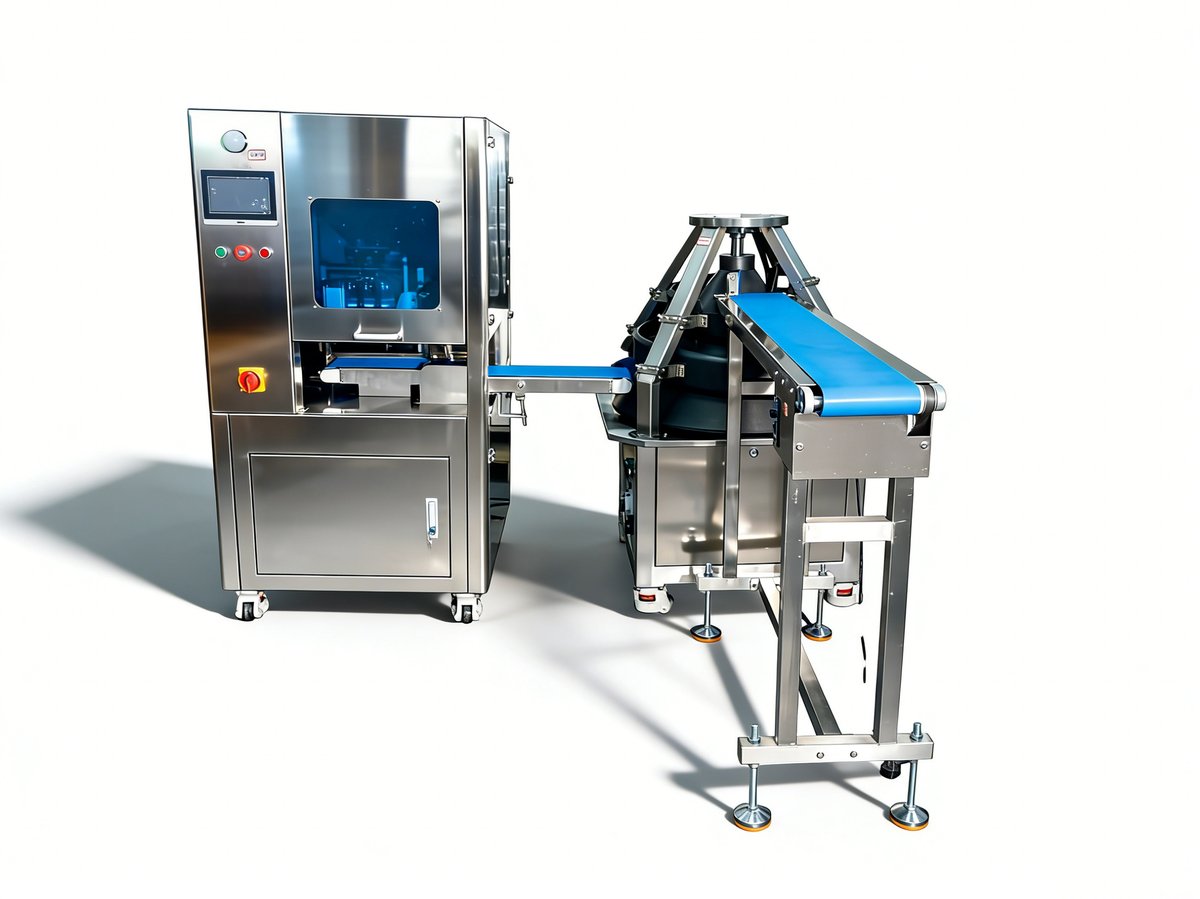
The dough divider rounder is the workhorse of most bakeries—and also the machine that causes the most headaches. Here are the most common problems we see, from thousands of service calls:
Problem #1: Inconsistent Piece Weights
Symptoms: Some dough pieces are 50g, others are 80g. Customers complain about inconsistent product size.
Most likely causes (in order):
- Worn or stretched cutting wires — This is the #1 cause. Wires stretch over time and don't cut evenly. Fix: Replace all cutting wires (cost: $20-$50, time: 15-30 minutes).
- Dough temperature too high or too low — Dough that's too warm sticks and doesn't divide evenly; dough that's too cold is too firm. Fix: Keep dough at 24-28°C (75-82°F) for dividing.
- Uneven dough pressing — The pressing plate may be misaligned or have worn pads. Fix: Check and adjust the pressing plate alignment, replace worn pads.
- Flour buildup in dividing chambers — Flour and dough buildup changes the chamber volume. Fix: Deep clean all dividing chambers with a dry brush (don't use water on electrical parts).
Problem #2: Machine Won't Start
Symptoms: Press the start button, nothing happens. No lights, no movement, no sound.
Check these in order:
- Power source — Is the machine plugged in? Is the circuit breaker on? Test the outlet with another device.
- Emergency stop button — Is the red emergency stop button pushed in? Twist it to release it. This is the most common cause of "won't start" problems.
- Door/safety switches — Most machines have safety switches that prevent operation if panels or doors are open. Make sure all panels are securely closed.
- Blown fuse — Check the main fuse in the electrical panel. Replace with the same amperage rating. If it blows again immediately, there's a short circuit—call a professional.
- Faulty start button or relay — If everything else checks out, the start button or a relay may be faulty. Fix: Test with a multimeter, replace if faulty (cost: $10-$30).
Problem #3: Dough Balls Not Round Enough
Symptoms: Dough comes out shaped but isn't properly rounded. Some are cone-shaped, some have flat bottoms.
Most likely causes:
- Worn rounding pockets/cones — The rounding surface wears smooth over time and loses its ability to round dough. Fix: Replace rounding pockets/cones (cost: $50-$200, time: 30-60 minutes).
- Insufficient flour dusting — Dough sticks to the rounding surface and doesn't roll properly. Fix: Adjust flour dusting amount, make sure flour sifter is clean and working.
- Rounding speed too fast or too slow — If the rounding plate spins too fast, dough flies off; too slow, it doesn't round. Fix: Adjust rounding speed per the manual (typically 2-4 seconds per cycle).
- Dough too soft or too stiff — Quite soft dough flattens; quite stiff dough doesn't round. Fix: Adjust dough hydration and temperature.
Pro Tip from Our Technicians
Keep a spare set of cutting wires and rounding pockets on hand at all times. These are the parts that fail most often, and having spares means You can fix the problem in 20 minutes instead of waiting 2-3 weeks for parts to arrive. For our automatic divider rounders, we include a spare parts kit with every machine.
Spiral Mixer: Common Problems & Fixes
The spiral mixer is usually the most reliable machine in a bakery—but when it does have problems, they can be serious. Here's what to watch for:
Problem #1: Unusual Noises or Grinding Sounds
Symptoms: High-pitched squealing, grinding, or knocking sounds during mixing. The noise may get louder over time.
Most likely causes:
- Worn bearings — Bearings in the spiral hook shaft or bowl drive wear out over 3-5 years. Fix: Replace bearings (cost: $30-$100 parts, $100-$300 labor). This is a job for a professional.
- Lack of lubrication — Gearboxes and bearings need regular lubrication. Fix: Lubricate per the maintenance manual (usually every 3-6 months). Use only the recommended grease type.
- Worn gears — If the gearbox oil hasn't been changed, gears can wear prematurely. Fix: Check gearbox oil level and condition. If oil is metallic or smells burnt, gears may be damaged—call a professional.
- Loose bolts or mounting — Vibration can loosen bolts over time. Fix: Check and tighten all mounting bolts and set screws.
Problem #2: Bowl Won't Rotate or Rotates Slowly
Symptoms: The spiral hook turns but the bowl doesn't rotate, or rotates quite slowly. Dough isn't mixed evenly.
Most likely causes:
- Bowl drive belt worn or broken — The belt that drives the bowl can wear, stretch, or break. Fix: Replace the drive belt (cost: $20-$80, time: 15-30 minutes). Check belt tension after replacement.
- Bowl not seated properly — If the bowl isn't locked into the drive mechanism, it won't rotate. Fix: Remove and reseat the bowl, make sure it clicks into place.
- Overloaded mixer — If you're mixing more dough than the mixer's capacity, the bowl drive may slip or stall. Fix: Reduce batch size to within the mixer's rated capacity.
- Faulty bowl drive motor or clutch — If the belt is fine and the bowl is seated, the motor or clutch may be faulty. Fix: Call a professional to test and replace.
Problem #3: Mixer Overheats or Shuts Off Mid-Cycle
Symptoms: Mixer runs for 5-10 minutes then shuts off. May have a burning smell. Won't restart until it cools down.
Most likely causes:
- Thermal overload protection tripped — Most mixers have a thermal overload that shuts off the motor if it gets too hot. This is a safety feature, not a malfunction. Fix: Let the mixer cool for 30-60 minutes, then press the reset button (usually on the motor).
- Overloaded mixer — Mixing too much dough, or dough that's too stiff, causes the motor to work harder and overheat. Fix: Reduce batch size or dough stiffness.
- Blocked ventilation — Flour and dust can clog the motor ventilation slots, causing overheating. Fix: Clean ventilation slots regularly with a vacuum or compressed air.
- Faulty motor or capacitor — If the mixer overheats even with light loads, the motor or run capacitor may be failing. Fix: Call a professional to test motor current and capacitor.
Rotary Oven: Common Problems & Fixes
The rotary oven is usually the most expensive machine in your bakery—and the one where downtime costs the most. Here are the most common problems:
Problem #1: Oven Not Heating or Heating Slowly
Symptoms: Oven takes much longer than usual to reach temperature, or doesn't reach the set temperature at all.
Most likely causes:
- Burned-out heating part — Electric ovens have multiple heating elements. If one or more burn out, the oven heats slowly or not at all. Fix: Test each part with a multimeter, replace burned-out elements (cost: $50-$200 each, time: 30-60 minutes).
- Faulty temperature sensor/thermocouple — If the sensor is faulty, the oven doesn't know the actual temperature and may not heat properly. Fix: Test sensor with a multimeter, replace if faulty (cost: $20-$80).
- Gas supply issue (gas ovens) — For gas ovens, check that the gas valve is fully open and there are no leaks. Fix: Check gas pressure, clean burners, check pilot light.
- Faulty thermostat or control board — If elements and sensor are fine, the thermostat or control board may be faulty. Fix: Call a professional to test and replace.
Problem #2: Uneven Baking (Some Trays Burn, Some Undercooked)
Symptoms: Trays on one side or one level bake faster than others. Product inconsistency.
Most likely causes:
- Blocked airflow — Crumbs, grease, or packaging material can block the air circulation vents inside the oven. Fix: Deep clean the oven interior, especially the air vents and fan area. Remove and clean the fan cover.
- Failed circulation fan — The fan that circulates hot air may be running slow or not at all. Fix: Check that the fan spins freely, test the fan motor, replace if faulty (cost: $80-$250).
- Damaged oven door seal — A worn door gasket lets hot air escape, causing uneven temperatures. Fix: check the door gasket, replace if cracked or compressed (cost: $30-$100).
- Uneven rack loading — Overloading one side or blocking airflow with large trays causes uneven baking. Fix: Load trays evenly, leave space between trays for airflow.
Problem #3: Rack Not Rotating
Symptoms: Oven heats but the rotating rack doesn't turn. Product on one side burns.
Most likely causes:
- Rack drive chain or belt broken — The chain or belt that drives the rotating rack can break or come off. Fix: Open the drive housing, check chain/belt, replace or re-seat (cost: $30-$100).
- Rack not seated on drive pin — If the rack isn't properly engaged with the drive mechanism, it won't rotate. Fix: Remove and reseat the rack, make sure it engages with the drive pin.
- Faulty rack drive motor — If chain/belt is fine and rack is seated, the motor may be faulty. Fix: Test motor, replace if faulty (cost: $100-$300).
- Overloaded rack — Too much weight can cause the drive to slip or stall. Fix: Reduce load to within the oven's rated capacity.
Dough Sheeter: Common Problems & Fixes
Dough sheeters (also called dough rollers or laminators) are relatively simple machines, but they do have common problems:
Problem #1: Rollers Won't Turn
Symptoms: Motor runs but rollers don't turn, or one roller turns and the other doesn't.
Most likely causes:
- Broken or loose drive belt — The belt connecting the motor to the rollers can break, stretch, or come off the pulleys. Fix: Open the side panel, check belt, replace or re-seat and adjust tension (cost: $20-$60, time: 15 minutes).
- Stripped gear or setscrew — The gears or setscrews that connect the rollers to the drive shaft can strip or loosen. Fix: check gears and setscrews, tighten or replace (cost: $10-$50).
- Dough jammed between rollers — A piece of dough or foreign object can jam the rollers. Fix: Turn off power, carefully remove the jammed dough (never use metal tools that can scratch the rollers).
- Faulty motor — If the motor hums but doesn't turn, it may be faulty or have a bad start capacitor. Fix: Test motor and capacitor, replace if faulty (cost: $80-$250).
Problem #2: Dough Thickness Inconsistent
Symptoms: Dough comes out thicker on one side, or thickness varies from front to back.
Most likely causes:
- Uneven roller gap adjustment — The gap adjustment mechanism may be uneven on left vs right side. Fix: Adjust both sides equally, use a feeler gauge to check even gap.
- Worn roller bearings — Worn bearings allow the roller to wobble, causing inconsistent thickness. Fix: Replace roller bearings (cost: $20-$80, time: 30-60 minutes).
- Bent or damaged rollers — Rollers can bend if something hard passes through, or from impact damage. Fix: check rollers for straightness, replace if bent (cost: $100-$400).
- Uneven conveyor belt tension — For sheeters with conveyor belts, uneven belt tension causes uneven feeding. Fix: Adjust belt tension on both sides equally.
Problem #3: Dough Sticks to Rollers
Symptoms: Dough wraps around the rollers instead of passing through. Dough tears or has holes.
Most likely causes:
- Dough too warm or too soft — Warm, soft dough sticks to rollers. Fix: Cool dough to 18-22°C (64-72°F) before sheeting. Reduce hydration if dough is too soft.
- Insufficient flour dusting — Not enough flour on the dough or rollers causes sticking. Fix: Lightly flour dough before sheeting, make sure flour dusters (if equipped) are working.
- Dirty rollers with dough buildup — Dried dough on rollers causes fresh dough to stick. Fix: Clean rollers thoroughly with a dry brush (don't use water, which can cause rust). Use a plastic scraper for stubborn buildup.
- Roller speed too fast — If rollers turn too fast, dough doesn't have time to release. Fix: Reduce roller speed if adjustable.
Step-by-Step Troubleshooting Process
When any machine has a problem, follow this systematic process. It will help you diagnose the problem faster and avoid making things worse:
Observe and Document
What exactly is happening? When does it happen? Is there a pattern? Take photos or videos of the problem. Note any error codes, unusual sounds, smells, or visual clues. The more information You've, the faster You can diagnose the problem.
Check the Obvious First
80% of problems have simple solutions. Check: Is it plugged in? Is the power on? Is the emergency stop released? Are all doors/panels closed? Is the machine clean? Are settings correct? Is there anything obviously broken or loose?
Consult the Manual
Every machine comes with a manual that includes a troubleshooting section. Find your manual (or download a digital copy) and look up the symptoms. The manual will often list the most likely causes and solutions in order of probability.
Test One Thing at a Time
Don't change multiple things at once—you won't know what fixed the problem. Test the most likely cause first. If that doesn't fix it, move to the next most likely cause. Document what you tried and the result.
Know When to Call a Professional
If you've tried the simple solutions and the problem persists, or if the problem involves electrical systems, motors, gearboxes, or refrigeration, call a professional. A wrong repair can cause more damage and cost more Over time. Also call a professional if you're not confident in your ability to make the repair safely.
Prevent Recurrence
Once the problem is fixed, figure out what caused it and how to prevent it from happening again. Was it lack of maintenance? Improper use? A worn part that should have been replaced earlier? Update your maintenance schedule and staff training to prevent recurrence.
Preventive Maintenance Schedule
The best repair is the one you never need. Regular preventive maintenance can reduce breakdowns by 70-80% and extend equipment life by 3-5 years. Here's the schedule we recommend for all commercial bakery equipment:
Repair vs Replace: When to Do What
One of the hardest decisions for a bakery owner is whether to repair an old machine or replace it. Here's a simple structure to help you decide:
Repair If:
- ✓ Repair cost is less than 50% of new machine cost
- ✓ Machine is under 8 years old
- ✓ Parts are readily available
- ✓ Breakdowns are infrequent (less than 2 per year)
- ✓ Machine still meets your production needs
- ✓ Energy efficiency is still acceptable
- ✓ The problem is a simple fix (belt, fuse, sensor)
🔄 Replace If:
- ✗ Repair cost is more than 50% of new machine cost
- ✗ Machine is over 12 years old
- ✗ Parts are discontinued or hard to find
- ✗ Breakdowns are frequent (3+ per year)
- ✗ Machine can't keep up with production demand
- ✗ Energy costs are 20%+ higher than new models
- ✗ Safety issues that can't be fully resolved
The 50% Rule (Simplified)
If the repair quote is more than 50% of the cost of a comparable new machine, replace it. If it's less than 50%, repair it. This simple rule works for 90% of situations. For the other 10%, consider age, parts availability, frequency of breakdowns, and your future production needs.
Repair Cost Reference Guide
Here are typical repair costs for common bakery equipment problems. These are estimates and will vary depending on your location, the machine brand, and the severity of the problem:
*Labor rates are typically $50-$150/hour depending on your location. Emergency service calls may include a $100-$300 service fee. Always get a written quote before approving repairs.
Equipment We Support and Service
We provide detailed maintenance manuals, video tutorials, and WhatsApp technical support for all our machines. Click any product to learn more:


📋 Bakery Equipment Checklist
Download our complete bakery equipment checklist with budget estimates for 5 different bakery types.
Free Bakery Equipment Checklist →📋 Bakery Equipment Maintenance Calendar
Get our printable maintenance calendar to keep your bakery equipment running at peak performance.
Printable Maintenance Calendar →📋 Bakery Equipment Energy Cost Calculator
Estimate your bakery equipment energy costs and find ways to reduce your utility bills.
Calculate Energy Costs →🏭 Bakery Equipment Capacity Calculator
Not sure what size equipment you need? Use our free interactive calculator to find the perfect dough divider, mixer, oven, and proofer capacity for your production volume.
Calculate Your Equipment Needs →⚖️ Bakery Equipment Comparison Tool
Compare dough dividers, spiral mixers, ovens, proofers and dough sheeters side by side. View specs, prices, capacity and features to find the best equipment for your bakery.
Compare Equipment Now →Often Asked Questions
Here are the questions we get asked most often about bakery equipment troubleshooting and repair:
Q: What are the most common bakery equipment problems?
A: The most common bakery equipment problems we see are: 1) Dough divider rounder producing inconsistent piece weights (usually caused by worn cutting wires or misadjusted dividing pistons), 2) Spiral mixer making unusual noises (often from worn gears or bearings), 3) Rotary oven not heating evenly (usually from faulty heating elements or blocked airflow), 4) Dough sheeter rollers not turning (often from broken drive belts or motors), 5) Proofing cabinet not maintaining humidity (usually from faulty water tanks or sensors). Most of these can be prevented with regular maintenance and cleaning.
Q: How do I know if I should repair or replace my bakery equipment?
A: Use the 50% rule: if the repair cost is more than 50% of the cost of a new machine, replace it. Also consider: 1) Age of the machine (if over 10-15 years, parts may be hard to find), 2) Frequency of breakdowns (if it breaks down more than 2-3 times per year, it's time to replace), 3) Availability of spare parts (if parts are discontinued or take months to arrive, replace), 4) Energy efficiency (older machines often use 20-30% more electricity), 5) Safety concerns (if the machine has electrical or mechanical safety issues that can't be fixed, replace immediately). For our customers, we typically recommend repairing machines under 8 years old and replacing machines over 12 years old.
Q: Can I repair bakery equipment myself, or do I need a professional?
A: It depends on the problem. Simple maintenance and minor repairs can be done by your staff: cleaning, lubrication, belt replacement, fuse replacement, filter cleaning, and adjusting settings. However, complex repairs should be done by a professional: electrical work, motor replacement, gearbox repair, heating part replacement, PLC/touch screen repair, and welding. Never attempt electrical repairs if you're not qualified—commercial bakery equipment uses 220V/380V power that can be fatal. Always disconnect power before any repair, and when in doubt, call a professional. We provide detailed maintenance manuals and video tutorials for all our machines, and our technical support team is available via WhatsApp for troubleshooting assistance.
Q: How much does bakery equipment repair typically cost?
A: Repair costs vary widely depending on the problem and machine. Here are typical ranges: 1) Minor repairs (belt, fuse, filter, sensor): $50-$200 parts + $50-$150 labor, 2) Moderate repairs (motor, heating part, bearing): $200-$800 parts + $150-$400 labor, 3) Major repairs (gearbox, PLC, transformer, compressor): $800-$3,000 parts + $400-$1,000 labor, 4) Emergency service calls: $100-$300 service fee + parts and labor. Labor rates are typically $50-$150 per hour depending on your location. We always recommend getting a written quote before approving any repair, and asking if there's a warranty on the repair work (typically 90 days for parts and labor).
Q: What preventive maintenance can I do to avoid breakdowns?
A: Regular preventive maintenance can reduce breakdowns by 70-80% and extend equipment life by 3-5 years. Here's what we recommend: Daily: clean all surfaces, check for unusual noises/vibrations, check temperatures and pressures, empty crumb trays. Weekly: lubricate moving parts (per manual), clean filters and vents, check belts and chains for wear, check electrical connections. Monthly: check and replace worn parts (cutting wires, seals, gaskets), calibrate temperatures and weights, deep clean hard-to-reach areas, check safety devices. Quarterly: professional checkion by a technician, test all safety systems, check motors and gearboxes, look over maintenance logs. Annually: complete overhaul, replace major wear parts, electrical system checkion, performance testing. We provide a detailed maintenance schedule with every machine we sell.
Need Help Troubleshooting Your Equipment?
Our technical support team is available via WhatsApp to help you diagnose and fix problems with your HNH bakery equipment. We also provide detailed maintenance manuals, video tutorials, and spare parts for all our machines.
Email: sales@yuanmhe.com | WhatsApp: +86 137 5500 7928